
I bought a coffee machine. An email with a recipe ebook came with it, I got a second ebook for signing up to the newsletter, and within a month I found two or three more. Sounds like paradise for a coffee lover – until you just want to make something with what you have in the fridge ☕
How do you find a recipe with honey when every ebook is a separate PDF and every PDF has to be scrolled from start to end? After a few evenings like that, I decided I wanted everything in one place, under one link in my bookmarks.
Data first, looks later
I started by moving the recipes into a JSON file: name, photo, ingredients, how to make it and a list of tags – the ingredients you can search by. Today there are 22 recipes and 33 ingredients. The interface translations went into a separate file too, so the page works in Polish and in English.
Only on top of this data did I build the view in Vue 3 – a list of cards, a recipe dialog and the search. At the same time I practised TypeScript and tried to use any as rarely as possible.
One question, two answers
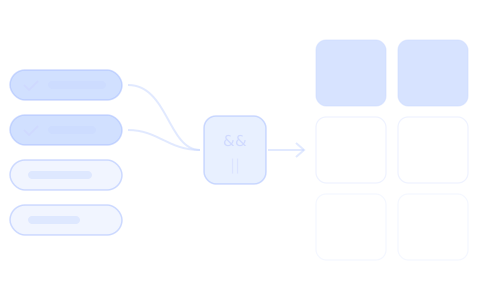
The search turned out to be the most interesting part. When you pick "honey" and "milk", you can ask two different things:
- show recipes that have all of these ingredients,
- show recipes that have at least one of them.
That is why the filter has both modes, and the recipes that match are at the top of the list – the rest stay below, so nothing gets lost.
A link you can send
I save the selected ingredients in the page address. Thanks to that, you can bookmark a filtered list or send it to someone – and when they open the link, they see the same recipes.
What I took from it
I built the project without a "how to build a recipe app" tutorial, and I still think it was time well spent. I learned the most not from Vue itself, but from thinking about the data: what is a recipe, what is an ingredient, and what is just text to show.
And the coffee machine? It works every day. So does the page – have a look at Coffee Recipes.