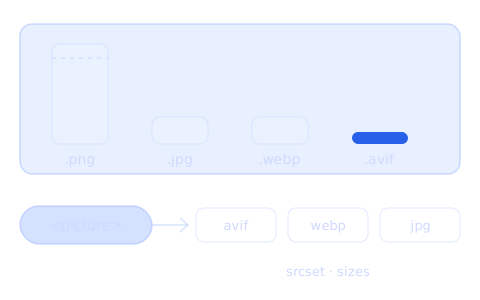
I use <picture> almost everywhere – in WordPress and in Vue. I want one thing: a phone, a tablet and a computer should each download an image in the size they really need. More and more often I choose AVIF – now also on this portfolio, with WebP as a fallback. So that I don't write from memory, I measured it on two images from my portfolio.
The test
I took two images: the illustration from my portrait (with a transparent background) and a screenshot of my portfolio home page (text, colours, sharp edges). I saved each one in four formats and four widths with the same tool my website uses (sharp 0.34). Settings: lossless PNG, JPG at quality 80, WebP at quality 80, AVIF at quality 50 – with these values the images look similar.
Portrait (file size in KB)
| Width | PNG | JPG | WebP | AVIF |
|---|---|---|---|---|
| 400 px | 155 | 15.9 | 17.0 | 9.4 |
| 800 px | 519 | 45.5 | 45.0 | 20.5 |
| 1200 px | 994 | 82.3 | 79.1 | 32.0 |
| 1600 px | 1603 | 123.8 | 115.2 | 43.2 |
Page screenshot (file size in KB)
| Width | PNG | JPG | WebP | AVIF |
|---|---|---|---|---|
| 400 px | 63.4 | 9.1 | 7.5 | 5.0 |
| 800 px | 210.9 | 26.8 | 21.7 | 12.8 |
| 1200 px | 463.2 | 50.4 | 38.8 | 22.3 |
| 1600 px | 778.7 | 76.9 | 57.6 | 31.7 |
What this shows:
- PNG is more than ten times heavier than the other formats. It makes sense when an image must stay lossless – for example a small icon or a screenshot for documentation.
- JPG and WebP are almost the same for the portrait, and for the screenshot with text WebP is about 20–25% lighter. WebP also supports transparency, which JPG doesn't – the portrait in JPG got a white background.
- AVIF is the lightest: 1.7 to 2.7 times smaller than WebP. It also supports transparency, and in the screenshot with text the letters in AVIF (quality 50) are as readable as in WebP (quality 80).
The catch with AVIF: encoding time
| Portrait, 1600 px | PNG | JPG | WebP | AVIF |
|---|---|---|---|---|
| Time to save | 247 ms | 267 ms | 360 ms | 5932 ms |
AVIF takes more than ten times longer to save than the other formats. I saw this on my own website. When the site builds (nuxt generate), @nuxt/image creates every version of every image – 876 files per format in my case. With AVIF and WebP this took about 12 minutes, with WebP only – about 1 minute. A visitor downloaded 59 kB of images on the first screen of the home page instead of 120 kB, and the time to load the largest element (LCP) on a phone was about 0.2 s different.
First I turned AVIF off and stayed with WebP only. Then I brought it back: I add new posts less often now, and the site builds at night, so a longer build doesn't bother me.
Browser support is no longer a problem: according to caniuse.com (September 2026), about 97% of users can see WebP and about 96% can see AVIF.
Smaller versions: srcset and sizes
The biggest saving doesn't come from the format, but from the size. A phone doesn't need a 1600 px image. The portrait in WebP is 45 KB at 800 px and 115 KB at 1600 px. That's why I save every image in a few widths and let the browser choose:
<img
  src="/img/portret-800.webp"
  srcset="/img/portret-400.webp 400w, /img/portret-800.webp 800w,
          /img/portret-1200.webp 1200w, /img/portret-1600.webp 1600w"
  sizes="(max-width: 640px) 100vw, 50vw"
  width="800" height="800" alt="Portrait" loading="lazy">
srcsetis a list of files with their widths.sizestells the browser how wide the image will be on the page: the full screen width on a phone, half of it on bigger screens.- The browser chooses the file itself and takes pixel density into account. A phone with a 400 px screen and 2× density downloads the 800 px version, not the 1600 px one.
sizes has to match the real size of the image. On my own website the portrait in the page header had sizes based on the screen width, but the image actually depended on the height of its frame. After the fix, a phone downloads a 732 px file instead of 1076 px.
<picture> and <source>: when it's worth it
<picture> is useful in two situations.
1. Several formats – the browser takes the first one it supports:
<picture>
  <source
    type="image/avif"
    srcset="/img/portret-400.avif 400w, /img/portret-800.avif 800w"
    sizes="(max-width: 640px) 100vw, 50vw">
  <source
    type="image/webp"
    srcset="/img/portret-400.webp 400w, /img/portret-800.webp 800w"
    sizes="(max-width: 640px) 100vw, 50vw">
  <img
    src="/img/portret-800.jpg"
    srcset="/img/portret-400.jpg 400w, /img/portret-800.jpg 800w"
    sizes="(max-width: 640px) 100vw, 50vw"
    width="800" height="800" alt="Portrait" loading="lazy">
</picture>
2. A different crop on a phone – for example a vertical photo instead of a wide one:
<picture>
  <source media="(max-width: 640px)" srcset="/img/hero-vertical.webp">
  <img src="/img/hero-wide.webp" width="1600" height="700" alt="…">
</picture>
What does it cost? I measured the HTML itself for four widths:
<img srcset> (1 format) | <picture> (AVIF + WebP + JPG) | |
|---|---|---|
| HTML | 250 B | 652 B |
| HTML after compression (gzip) | 158 B | 232 B |
After compression, <picture> adds about 75 bytes to the page for each image. In return, the browser downloads the 800 px portrait in AVIF (20.5 KB) instead of WebP (45 KB) – about 24 KB less. So those 75 bytes don't matter. The real cost is somewhere else: three times more files on the server (AVIF, WebP and JPG) and longer builds.
When <picture> doesn't make sense:
- when you use only one format –
<img>withsrcsetis enough, and<picture>with one<source>gives you nothing; - for icons and logos – SVG is better;
- when build time matters and AVIF has to be generated for hundreds of images.
My cheat sheet
| What | Format |
|---|---|
| Photos, illustrations, transparency, screenshots with text | AVIF, with WebP as a fallback in <picture> |
| A pixel-perfect screenshot, with or without transparency (e.g. for documentation) | PNG or lossless WebP |
| A preview for a client by email | JPG – you can't see the difference, and the file fits in an email |
| Icons and logos | SVG |
| Link preview image (OG) for social media | JPG |
So AVIF is my default format. JPG stays for two things: link previews, because Facebook and LinkedIn don't always show AVIF, and previews I send to clients by email.
What I got from it
- A good size (
srcsetandsizes) gives the most, the format comes second. - AVIF is the lightest and works for everything – photos, transparency and screenshots with text. But it takes more than ten times longer to save, so with many images you see it in the build time.
<picture>adds a few dozen bytes of HTML per image and saves a few dozen kilobytes. It's worth it when you have more than one format or a different crop for phones.